Table of Contents
The Automation Dilemma: Choosing the Right Tool for Your Business
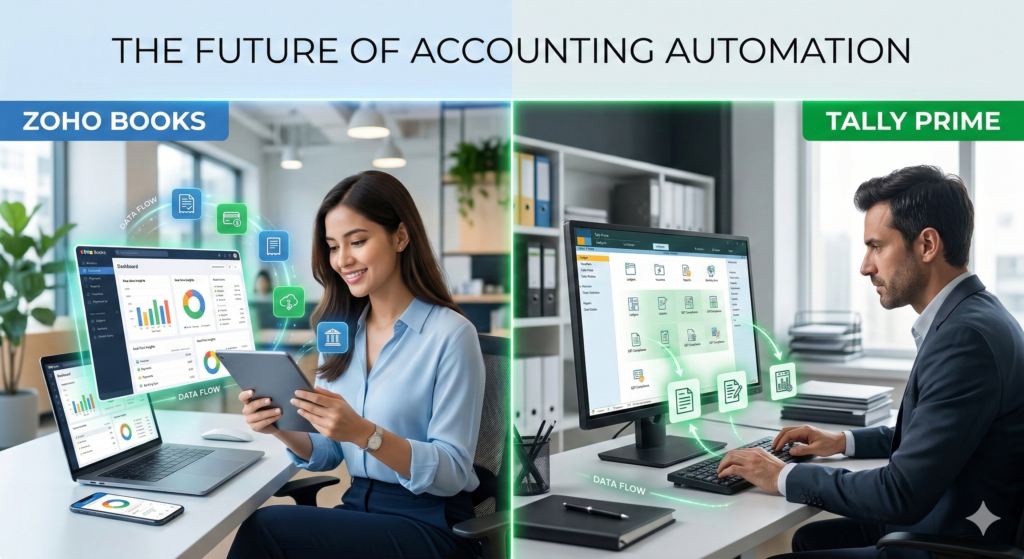
Deciding on Zoho Books vs Tally Prime Automation is the most critical software choice an Indian business owner will make in 2026. If you are struggling with manual data entry, understanding the Zoho Books vs Tally Prime Automation landscape will save you hundreds of hours. This article explores how Zoho Books vs Tally Prime Automation stacks up for your specific workflow needs.
You want to eliminate tedious manual entry for tasks like invoice creation, payment reconciliation, and recurring billing. You dream of a world where financial data flows seamlessly between your different business apps. Achieving high efficiency is a top priority, and understanding Zoho Books vs Tally Prime Automation is crucial to making the right decision for your long-term success.
But the fear of choosing the wrong platform, suffering from integration headaches, or ending up with a solution that’s too complex or too basic is real. This detailed guide is here to alleviate that anxiety and provide clarity.
Who This Is For
This article is specifically designed for:
- Small and Medium-sized Business (SMB) Owners: Who need to understand how automation can streamline their daily operations and provide a competitive edge.
- Accountants and Bookkeepers: Looking for insights into how these platforms can reduce manual data entry and help them offer more strategic advisory services.
- Startups: That require a scalable solution that grows with their needs and allows for easy integration with other software.
- Existing Tally ERP 9 Users: Who are considering a shift and want to know how Tally Prime or Zoho Books could improve their automation capabilities.
Whether you’re starting from scratch or considering a migration, this deep dive will help you make an informed choice focused on Zoho Books vs Tally Prime Automation potential.
At a Glance: Zoho Books vs Tally Prime Automation
When comparing Zoho Books vs Tally Prime Automation, the choice usually comes down to “Cloud vs. Desktop.” If you prioritize mobile access, Zoho Books vs Tally Prime Automation features like live bank feeds will win. However, if you need offline stability, the Zoho Books vs Tally Prime Automation debate shifts in favor of Tally’s local processing power.
Zoho Books vs. Tally Prime: An At-a-Glance Automation Comparison
This table provides a high-level summary of the automation features, helping you understand the key differences.
| Feature Area | Zoho Books | Tally Prime | Your Choice |
| Automation Model | Built-in, natively cloud-based. | Add-on/Customization based (primarily through TDL – Tally Definition Language). | Zoho Books Or Tally Prime |
| Cloud Integration | Native cloud integration with hundreds of web apps. | Requires a ‘cloud-ready’ infrastructure or TDL for true cloud sync. | Zoho Books Or Tally Prime |
| Bank Reconciliation | Highly automated, connects to most major Indian banks. | Largely manual process; can be sped up with third-party tools. | Zoho Books Or Tally Prime |
| API Availability | Robust, public APIs for easy custom integrations. | Closed system; integrations often require specific technical knowledge. | Zoho Books Or Tally Prime |
| Workflow Automation | Drag-and-drop workflow builder for custom rules. | No built-in equivalent; possible only through custom TDL. | Zoho Books Or Tally Prime |
| E-Invoicing/E-Way Bill | Natively built-in with direct portal links. | Features are being added, but often require additional configuration. | Zoho Books Or Tally Prime |
| Data Synchronization | Seamless, real-time sync with other Zoho and third-party apps. | Requires periodic sync or specialized TDL programs. | Zoho Books Or Tally Prime |
Deep Dive: Analyzing Zoho Books vs Tally Prime Automation Capabilities
When we look at the core of Zoho Books vs Tally Prime Automation, we see two different worlds. Zoho offers a “set and forget” model, while Tally offers a “build to suit” model. In the Zoho Books vs Tally Prime Automation battle, the cloud usually wins for speed, but the desktop wins for complex, offline data handling.
Zoho Books: A Cloud-First Automation Powerhouse
Zoho Books is a modern, cloud-native accounting platform. This foundation is a massive advantage when it comes to automation. Its architecture is built for interconnectedness. It isn’t just an accounting software; it’s part of the broader Zoho ecosystem (CRM, Inventory, etc.) and is designed to integrate seamlessly with hundreds of other third-party applications.
This means automation is “baked in.” For instance, creating automated workflows in Zoho Books is incredibly intuitive. You can set up a rule that says, “When an invoice is fully paid, automatically send a “Thank You” email and tag the contact as a ‘VIP Customer.'” No coding is required. The focus keyword, Zoho Books vs Tally Prime Automation, highlights this crucial difference.
Zoho Books shines with its:
- Native Bank Feeds: It connects directly to most major Indian banks. It can automatically pull your transactions daily, making reconciliation as simple as matching pre-categorized entries. This is a game-changer for reducing manual errors.
- Seamless Integration: It’s designed to play well with others. Integrating Zoho Books with your e-commerce platform (like Shopify) or your CRM (like Salesforce) to automatically create invoices and update customer records is a standard, often single-click affair.
- Flexible APIs: For unique or complex business needs, Zoho Books offers open, well-documented APIs. This allows for custom-built integrations with any other software you might be using.
(Link out to Zoho Books: https://www.zoho.com/in/books/)
Tally Prime: The Desktop Titan’s Automation Journey
Tally Prime is the dominant player in the Indian market, and for good reason. Its robustness and reliability are legendary. However, it was built in a different era—the desktop era. While Tally has made significant strides towards modernization, its core is still not “cloud-native.”
When we talk about Tally Prime and automation, we’re mostly talking about two paths:
- Custom TDL (Tally Definition Language): This is Tally’s powerful, proprietary language. Almost any custom automation you can dream of can be built using TDL. You could build a TDL that automatically posts data from a custom-built website into Tally, or generates a specific, highly customized report on a schedule.
- Using Add-ons and Third-Party Tools: The market is flooded with third-party extensions and plugins for Tally. Many of these aim to bridge the gap in features like bank reconciliation or auto-emailing invoices.
The key difference in Zoho Books vs Tally Prime Automation is how you achieve it. With Tally Prime, automation is possible, but it often requires custom code (TDL), hiring a specialist developer, or relying on external add-ons, adding cost and complexity.
(Link out to Tally Solutions: https://tallysolutions.com/tally-prime/)
Pricing (in INR)
Pricing is a crucial factor for any Indian business. Note that prices are subject to change, so always verify with the vendor.
Zoho Books: Offers a tiered subscription model, paid monthly or annually. This makes it a dynamic and potentially more budget-friendly option for smaller businesses. Its “Standard” plan, which covers core automation needs, starts at around ₹900 per organization per month.
Tally Prime: Operates on a “perpetual license” model. You pay a one-time fee for a single-user (Silver) or multi-user (Gold) license.
- Silver (Single User): Starts around ₹22,500 (plus taxes) for a one-time purchase.
- Gold (Multi-User): Starts around ₹67,500 (plus taxes) for a one-time purchase.
- You will also need to pay for an annual Tally.NET subscription for updates and some connected services.
When considering Zoho Books vs Tally Prime Automation, the total cost of ownership is an important factor. The subscription model of Zoho Books may be more accessible for many startups and small businesses.
Pros & Cons of Zoho Books vs Tally Prime Automation
| Feature | Zoho Books: The Automation Pro | Tally Prime: The Automation Challenge |
| Pros for Automation | • Natively Automated: Many features work automatically right out of the box. • Cloud Integrations: Connects easily with hundreds of apps. • Intuitive: Easier to set up custom workflows without coding. • Superior Bank Feeds: Highly automated reconciliation is a major plus. • Lower Upfront Cost: Accessible via a monthly subscription. | • Powerful Customization (via TDL): Allows for extremely tailored solutions. • Familiar: The keyboard-driven interface is incredibly fast for power users. • No Recurring Software Fee: Pay once, own the license. • Dominance: A huge pool of Tally-trained accountants in India. • Robust & Stable: Known for handling huge data volumes reliably. |
| Cons for Automation | • Subscription Cost: Ongoing monthly or annual fee. • Learning Curve: The interface can feel overwhelming due to its feature richness. • Offline Access: Not suitable if you regularly work without an internet connection. • Inventory: Can be perceived as less feature-rich than Tally’s inventory module by some. | • Manual Automation: Achieving automation often requires custom TDL coding. • Integration Difficulties: Connecting to non-Tally systems is complex. • Manual Reconciliation: A time-consuming and error-prone process. • Hefty Initial Investment: Higher upfront license fee. • Cloud Feature Gaps: Many features are “cloud-ready” rather than “cloud-native.” |
Final Recommendation: Which Tool Wins for Automation?
The battle of Zoho Books vs Tally Prime Automation doesn’t have a single, definitive winner. The best tool depends entirely on your specific business needs and technical capabilities.
Choose Zoho Books if:
- You are a cloud-first business.
- Your priority is out-of-the-box automation (bank feeds, workflows, etc.).
- You need seamless integrations with other web apps.
- You prefer a predictable subscription-based cost model.
- You have a limited budget and don’t have access to TDL developers.
Choose Tally Prime if:
- You are a traditional, large-scale enterprise with a massive volume of complex inventory.
- You have the budget for custom TDL development to tailor the software perfectly to your unique needs.
- Your accounting team is already deeply familiar with and proficient in Tally.
- You require a rock-solid, offline-capable accounting system.
Frequently Asked Questions (FAQs)
1. Is Zoho Books truly better for automation than Tally Prime?
For retail, the Zoho Books vs Tally Prime Automation choice depends on your POS needs. Zoho is better for e-commerce sync, while Tally is faster for local billing.
2. Is it true that Tally Prime cannot be automated at all?
No, that is not true. Tally is incredibly flexible, but its primary automation engine is its custom TDL language. Many add-ons exist to automate specific functions like email notifications or basic bank reconciliation. The key difference is the ease of achieving automation.
3. Does Zoho Books work offline?
Zoho Books is fundamentally a cloud-based application, so a reliable internet connection is crucial for its full feature set and seamless operation. However, you can access certain features for viewing and printing data offline. For businesses that absolutely require full offline functionality, Tally Prime is the better choice.
4. Can I easily migrate from Tally to Zoho Books?
Yes, Zoho provides tools and partners to assist with migrating your historical data from Tally to Zoho Books. It’s important to plan and execute this carefully. To learn more, check out our guide on how to migrate from Tally to Zoho Books.
5. Which has a steeper learning curve for new users?
Tally Prime’s keyboard-driven interface can be intimidating for those used to modern, visual interfaces. Zoho Books, while feature-rich, is typically considered more intuitive and user-friendly for a beginner. However, once mastered, Tally can be incredibly fast for power users.
6. Is data more secure on the cloud (Zoho) or on-premise (Tally)?
This is a complex question with no single answer. Zoho implements robust, enterprise-grade security on their servers. Tally on-premise security is dependent on your own network and server maintenance. Both can be highly secure, but both have unique vulnerabilities.
7. Can Tally handle my automation needs if I only need small-scale functions?
Absolutely. Many of Tally’s features and available add-ons can automate tasks like recurring invoices or auto-emailing payment reminders. For small-scale, simple needs, Tally’s existing features might be perfectly adequate. For more advanced features, you may need custom development.
8. What are the key automation benefits of using Zoho Books?
Zoho Books’ automation excels in: automated bank feeds and reconciliation, automated recurring invoices and payment reminders, custom-defined workflows and rules, seamless integration with other web apps, and automatic creation of transactions.
9: Is Zoho Books vs Tally Prime Automation suitable for large scale manufacturing?
For large manufacturing, Tally Prime is often preferred, but the Zoho Books vs Tally Prime Automation gap is closing as Zoho adds advanced inventory modules.
10: Which offers better mobile experience: Zoho Books vs Tally Prime Automation?
Zoho Books offers a native automated mobile experience, whereas Tally requires third-party mobile apps for similar Zoho Books vs Tally Prime Automation levels.
Take Control of Your Automation Journey
The battle for accounting efficiency is won not by the biggest player, but by the one who automates smartest. Don’t let manual work hold your business back.
Which accounting philosophy aligns with your vision: Zoho Books’ native simplicity, or Tally Prime’s customizable power?
Take the next step towards true accounting automation. Ready to experience a new era of efficiency?
Need expert help in deciding which path is right for you or implementing the perfect automation strategy? Contact FirmOps for a free consultation today. We specialize in finding the right solution for your unique business needs.
The Intelligence Frontier Toolkit
Deploy these Vetted technology stack for optimizing practice velocity and client deliverables:
Deploy Support Agent with Zoho Scale Operations with Karbon Automate Compliance with WebLedger Access Tax Intelligence with Taxmann Scale Operations with Jamku Deploy Support Agent with Freshdesk Automate Compliance with Tally Solutions