
The struggle to maintain a stable accounting environment is a common pain point for Indian SMEs. Many businesses find themselves trapped in a cycle of server crashes, UPS failures, and manual backup errors. If you are currently managing an on-premise setup, you’ve likely asked: is the switch to Tally on Cloud vs. Local Server worth the recurring subscription?
The problem isn’t just about where the data sits; it’s about the hidden “productivity tax” you pay when your local server goes offline during GST filing week or when your accountant can’t work from home because the office network is down. This guide breaks down the 2026 reality of infrastructure costs and efficiency.
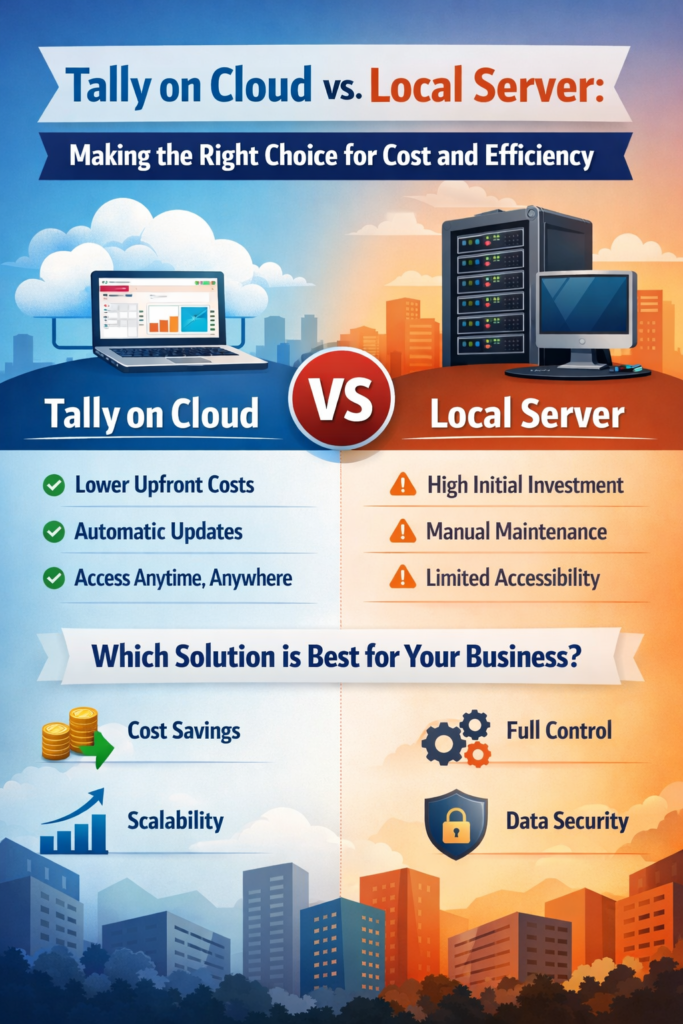
Table of Contents
Who This Is For
- Growing SMEs: Planning to expand to multiple branches across India.
- Chartered Accountants: Needing real-time access to client data for auditing.
- IT Managers: Tasked with reducing the overhead of physical hardware maintenance.
- Finance Heads: Looking for a clear CapEx vs. OpEx cost-benefit analysis.
Comparison: Tally on Cloud vs. Local Server at a Glance
| Feature | Tally on Cloud | Local Server (On-Premise) | Affiliate / Product Link |
| Upfront Cost | Low (Pay-per-user) | High (Hardware + Licenses) | Check Server Prices |
| Accessibility | Global (Anywhere, Anytime) | Local Office Network Only | Tally Cloud Demo |
| Scalability | Instant (Add users in 5 mins) | Slow (Requires hardware upgrade) | Scale Your Business |
| Data Security | Tier-4 Data Centers (Encrypted) | User-dependent (Prone to theft) | Antivirus Solutions |
| Maintenance | Zero (Managed by Provider) | High (Requires IT Support) | Hire IT Experts |
| Internet Need | Mandatory | Not required for local use | High-Speed Fibernet |
Tool Breakdown: What Powers the Comparison?
When evaluating Tally on Cloud vs. Local Server, you are essentially choosing between a Service (SaaS) and an Asset (Hardware).
1. The Cloud Ecosystem (SaaS)
Providers like Tally Solutions (via AWS) or specialized Indian hosts like AntraCloud offer virtual machines. In the Tally on Cloud vs. Local Server debate, the cloud tool wins on mobility. You use Remote Desktop Protocol (RDP) or a browser-based client to log in.
- Key Advantage: Your Tally is “always on.”
2. The Local Infrastructure (On-Premise)
This involves physical hardware like a Dell PowerEdge or HP ProLiant server. You need a dedicated server room, cooling, and a static IP if you want even basic remote access (which is often slow and insecure compared to native cloud).
- Key Advantage: Complete physical custody of the data.
Pricing in INR: The 2026 Cost Reality
Cost is the biggest driver in the Tally on Cloud vs. Local Server decision. Here is a breakdown of what you can expect to pay in India today.
Tally on Cloud Pricing (OpEx)
- Starter Plan: ₹600 – ₹800 per user/month.
- Business Plan (Multi-user): ₹2,500 – ₹5,000 per month (includes higher RAM/SSD).
- Hidden Costs: None, but you must maintain a valid Tally Software Services (TSS) subscription at approx. ₹4,500/year for Silver.
Local Server Pricing (CapEx)
- Server Hardware: ₹85,000 – ₹1,50,000 (Basic entry-level).
- Windows Server License: ₹25,000 – ₹45,000.
- UPS & Cooling: ₹15,000 (Initial) + ₹1,000/month (Electricity).
- IT AMC: ₹12,000 – ₹24,000 per year for maintenance.
Note: Over a 3-year period, the Tally on Cloud vs. Local Server cost often breaks even, but the cloud offers significantly higher uptime.
Pros & Cons
Tally on Cloud
- Pros: * Work from home or while traveling.
- Ransomware protection via automated snapshots.
- No more “Memory Full” or “Server Slow” errors.
- Cons: * Requires stable 10Mbps+ internet.
- Monthly recurring costs never stop.
Local Server
- Pros: * Works during internet outages.
- One-time investment (asset for the company).
- Cons: * Highly vulnerable to fire, theft, or hardware failure.
- Scaling from 5 to 10 users requires a total hardware overhaul.
Detailed Efficiency Comparison (300 Words)
Efficiency is where the Tally on Cloud vs. Local Server choice impacts your bottom line. In a local setup, data entry is fast on the local network, but as soon as you try to sync data between branches (using Tally Sync), delays and data mismatches occur.
Synchronization vs. Centralization
In a Tally on Cloud vs. Local Server scenario, the cloud uses a “Centralized” model. There is only one data file. Whether your branch is in Delhi or Bangalore, they are working on the same live data. This eliminates the need for manual synchronization, which often leads to “out of sync” errors in local setups.
Speed of Reporting
For owners, the Tally on Cloud vs. Local Server efficiency gain is seen in reporting. Instead of asking your accountant to email a PDF (which is already outdated by the time you see it), you can log in via your smartphone and view real-time Profit & Loss or Outstanding statements.
Zero Maintenance Overhead
A local server requires periodic disk defragmentation, OS updates, and hardware cleaning. If the server fan fails at 6 PM on a Friday, your accounting stops until Monday. With Tally on Cloud vs. Local Server, the hardware maintenance is the provider’s headache. They guarantee 99.9% uptime, meaning your team stays productive without IT distractions.
Final Recommendation
After analyzing Tally on Cloud vs. Local Server, the recommendation is clear:
- Go Cloud if: You have more than 2 users, multiple locations, or want to enable remote work. The security and flexibility far outweigh the subscription cost.
- Stay Local if: You are in a remote area with zero stable internet or have a strict policy against storing data outside your physical building.
For most modern Indian businesses, the Tally on Cloud vs. Local Server debate ends with the Cloud. It is faster, more secure, and allows you to focus on business growth rather than managing cables and servers.
FAQs on Tally on Cloud vs. Local Server
1. Is Tally on Cloud faster than a Local Server?
It depends on your internet. On a 50Mbps fiber connection, Tally on Cloud vs. Local Server performance is nearly identical for daily data entry, but cloud is faster for generating heavy reports.
2. Can I use my existing Tally license on the Cloud?
Yes. You don’t need to buy a new Tally license. You only pay the hosting provider for the cloud space.
3. What happens to my data if I stop paying for the Cloud?
Most providers allow you to download a complete backup of your data. In the Tally on Cloud vs. Local Server comparison, you always own the data; the cloud is just the “rental office” for it.
4. Is Tally on Cloud safe from Ransomware?
Yes, significantly safer. Most cloud providers use “Immutable Backups” which cannot be encrypted by hackers. A local server is a prime target for ransomware if not patched daily.
5. Do I need a static IP for Tally on Cloud?
No. You only need a standard internet connection. Static IPs are usually required for local servers if you want remote access.
6. Can multiple people work on the same company at once?
Yes, if you have a Tally Multi-User (Gold) license. Both Tally on Cloud vs. Local Server support this, but Cloud handles it better across different locations.
Strong Call to Action
Don’t let outdated hardware slow down your financial growth. Optimize your workflow by choosing the right infrastructure today.
Ready to migrate? Check out our latest posts or read our latest post on Automating GST Returns. For hardware enthusiasts, compare the latest Server Specs on Amazon India.
The Intelligence Frontier Toolkit
Deploy these Vetted technology stack for optimizing practice velocity and client deliverables:
Deploy Support Agent with Zoho Scale Operations with Karbon Automate Compliance with WebLedger Access Tax Intelligence with Taxmann Scale Operations with Jamku Deploy Support Agent with Freshdesk Automate Compliance with Tally Solutions