
This is 2026, and the era of manual data entry for Chartered Accountants and financial analysts is officially over. If you are still manually typing out bank transactions or struggling with messy PDF-to-Excel converters, you are losing billable hours to a task that AI now completes in seconds.
In the current financial landscape, the best data extraction tools for bank statement analysis are no longer just OCR readers; they are “Financial Intelligence Engines” that categorize transactions, detect fraud, and sync with Tally or Zoho Books instantly.
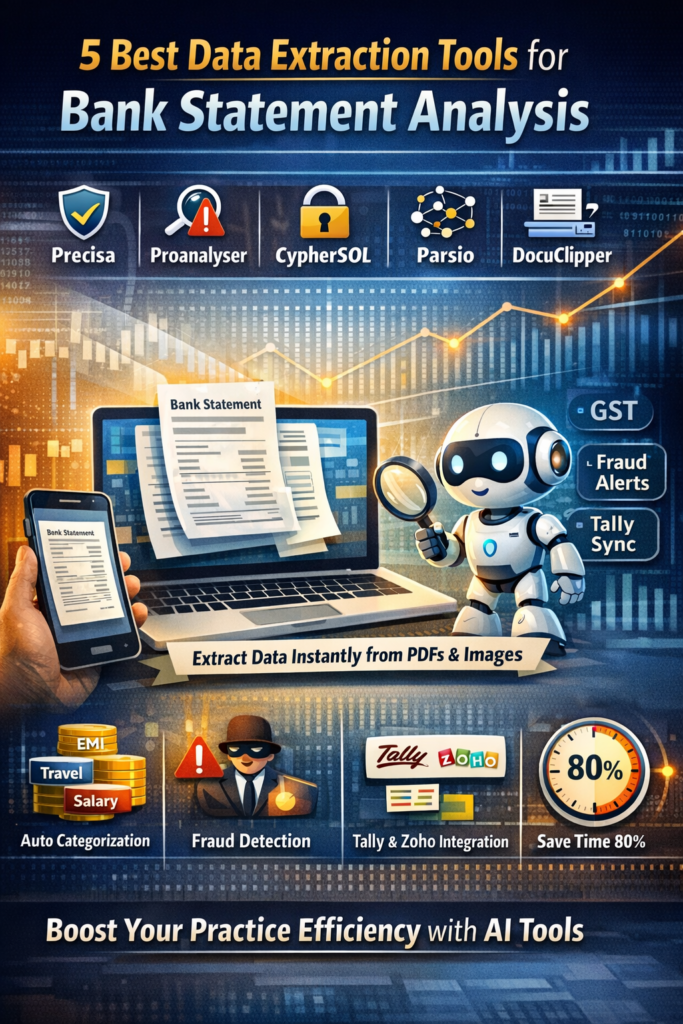
Table of Contents
Why Your Practice Needs the Best Data Extraction Tools for Bank Statement Analysis
The fundamental problem is “The Data Bottleneck.” As a professional, you receive bank statements in every possible format—from clean digital PDFs to blurry smartphone photos of passbooks. Traditional tools fail when faced with non-standard layouts or regional Indian bank formats. This leads to hours of manual “cleaning” in Excel, increasing the risk of human error and compliance slips.
By adopting the best data extraction tools for bank statement analysis, you solve this at the root. These tools use Neural Networks to “read” statements like a human would, identifying column headers even if they are shifted or renamed.
Who This Is For
- Chartered Accountants (CAs): To speed up tax audits and ITR filings.
- Lending Institutions (NBFCs): For instant credit assessment and repayment capacity analysis.
- Forensic Auditors: To spot circular transactions and money trails across 100+ accounts.
- SME Finance Teams: To maintain real-time cash flow visibility without a dedicated data entry operator.
Comparison Table: Leading Bank Statement Analyzers in 2026
| Tool Name | Core Strength | Tally/ERP Sync | CA-Friendly Portal | Affiliate/Product Link |
| Precisa | Hybrid (AA + PDF) | Yes | Yes | Analyze Now |
| Proanalyser | Indian Bank Experts | One-Click | Yes | Start Free |
| CypherSOL | Offline Security | Direct Tally | Yes | Get Demo |
| Parsio | Multi-Format AI | API/Zapier | No | Extract Data |
| DocuClipper | Accuracy for Scans | CSV/Excel | No | Sign Up |
Tool Breakdown: Top 5 Solutions for 2026
1. Precisa: The All-in-One Credit Intelligence
Precisa is widely considered the best data extraction tool for bank statement analysis in India because it integrates with the Account Aggregator (AA) framework. This means you can pull data directly from the bank with client consent, bypassing PDFs entirely.
- Unique Feature: The “Precisa Score” which highlights volatility and repayment risk.
- Best For: NBFCs and CAs doing high-volume loan syndication.
2. Proanalyser: The Forensic Expert
Proanalyser specializes in the “messy” side of Indian banking. It is excellent at recognizing regional bank formats and handwriting.
- Unique Feature: Automated “Red Flag” detection for circular transactions and frequent reversals.
- Best For: Auditing and tax scrutiny preparation.
3. CypherSOL: The Privacy-First Choice
For CAs who handle high-net-worth individuals, CypherSOL offers a secure environment that handles complex multi-page PDFs with ease.
- Unique Feature: Excellent mapping to Tally Prime ledgers.
- Best For: Solo practitioners and boutique CA firms.
4. Parsio: The No-Code AI Powerhouse
If you need to extract data from more than just statements (like invoices or receipts), Parsio is a versatile choice among the best data extraction tools for bank statement analysis.
- Unique Feature: Uses pre-trained AI models that don’t require manual “training” for every new bank.
- Best For: Tech-savvy accountants building custom workflows.
5. DocuClipper: The Scanning Specialist
DocuClipper is the go-to for converting scanned images into structured Excel files. Its OCR engine is specifically tuned for financial tables.
- Unique Feature: Automatic reconciliation that ensures the sum of extracted transactions matches the statement’s closing balance.
- Best For: Cleaning up old or poorly scanned records.
Pricing in INR (2026 Standard Rates)
- Precisa: Pay-per-use starts at ₹100 per bank account; subscription plans around ₹14,000/year.
- Proanalyser: Basic plans start at ₹2,500/month with tiered pricing for higher volume.
- DocuClipper: Starts at approx. ₹3,200/month ($39) for 200 pages.
- CypherSOL: Customized quotes usually starting at ₹1,500/month.
Pros & Cons
The Benefits
- Speed: Reduce 4 hours of manual entry to 4 minutes of automated extraction.
- Accuracy: 99%+ data precision, eliminating “fat-finger” errors.
- Insights: Get instant visualizations of monthly cash inflows and outflows.
The Drawbacks
- Subscription Costs: Can be expensive for very low-volume users.
- Learning Curve: Mapping certain transactions to specific accounting ledgers still requires human oversight.
Strategic Implementation for CA Firms
One section of the article should be dedicated to the workflow. To successfully integrate the best data extraction tools for bank statement analysis, start by digitizing your client onboarding. Instead of asking for physical statements, provide a secure upload link provided by your chosen tool.
Step-by-Step Integration
- Ingestion: Upload digital PDFs or scanned images.
- Verification: The AI checks for document tampering or font inconsistencies.
- Categorization: Transactions are tagged as “Salary,” “EMI,” “GST Payment,” etc.
- Review: Briefly scan the “Suspense” category for manual tagging.
- Export: Move the clean data directly into your practice management software.
Final Recommendation
If you are a CA firm focusing on audits and compliance, Proanalyser or CypherSOL are your best bets due to their deep Tally integration. For lenders, Precisa is the clear winner for its risk-scoring capabilities. Regardless of your choice, moving to one of the best data extraction tools for bank statement analysis is a non-negotiable step for a modern practice in 2026.
FAQs (Frequently Asked Questions)
1. Is the data safe with these online extraction tools?
Yes, most of the best data extraction tools for bank statement analysis use bank-grade 256-bit encryption. Tools like CypherSOL even offer offline or highly restricted access modes for sensitive data.
2. Do these tools support regional Indian banks?
Absolutely. Indian-born tools like Precisa and Proanalyser are specifically trained on the statement formats of 1,200+ Indian banks, including Co-operative and Gramin banks.
3. Can I extract data from a smartphone photo?
Yes, modern OCR engines in these tools can process JPEG/PNG images, though the accuracy is highest with digital PDFs.
4. Do I need to “train” the software for every client?
No. Advanced best data extraction tools for bank statement analysis use “template-free” AI, meaning they recognize the concept of a “Date” or “Amount” column regardless of where it is on the page.
5. How does this help with GST reconciliation?
By extracting all bank inflows, you can quickly cross-verify them against the GSTR-1 filings to ensure no turnover has been missed.
6. Can I try these tools for free?
Most platforms like Precisa and Parsio offer a “Free Trial” or “Free to Start” model where you can analyze 3-5 statements at no cost.
Boost Your Practice Efficiency Today
Ready to eliminate manual data entry? Don’t let your firm get left behind. Start saving 80% of your processing time today.
Internal Resources:
- Learn about Practice Management for CAs
- Explore Automation in Financial Auditing
- Check out our guide on Tally Integration Tips
The Intelligence Frontier Toolkit
Deploy these Vetted technology stack for optimizing practice velocity and client deliverables:
Deploy Support Agent with Zoho Scale Operations with Karbon Automate Compliance with WebLedger Access Tax Intelligence with Taxmann Scale Operations with Jamku Deploy Support Agent with Freshdesk Automate Compliance with Tally Solutions